🔶 Comments & Pings
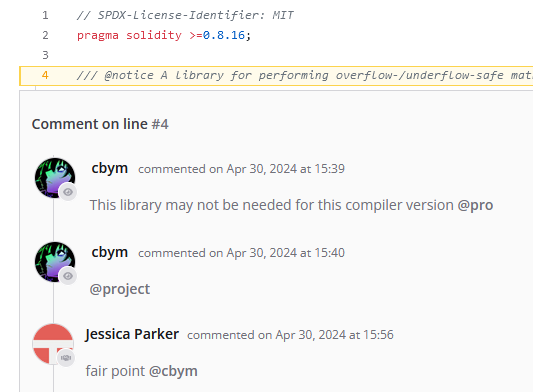
On Cantina Code it is possible to write comments and ping other users so they receive a notification. The functionality surrounding these features is dependent on the security review type and Cantina Repository settings (e.g., a regular security review may have different functionality from a competition or bug bounty).Comments
Comment functionality is intuitive. If you need a refresher on the interface, visit the Code Review section. While in Code Review mode, hovering over a line of code will display a blue box at the right side of the line number.png?fit=max&auto=format&n=ku5dppycuRMaBQ9F&q=85&s=d83e0d540090046a25c8e2ed07e3e24d)
.png?fit=max&auto=format&n=ku5dppycuRMaBQ9F&q=85&s=2783c8c0a988d559b05312fe17672a53)
Pings
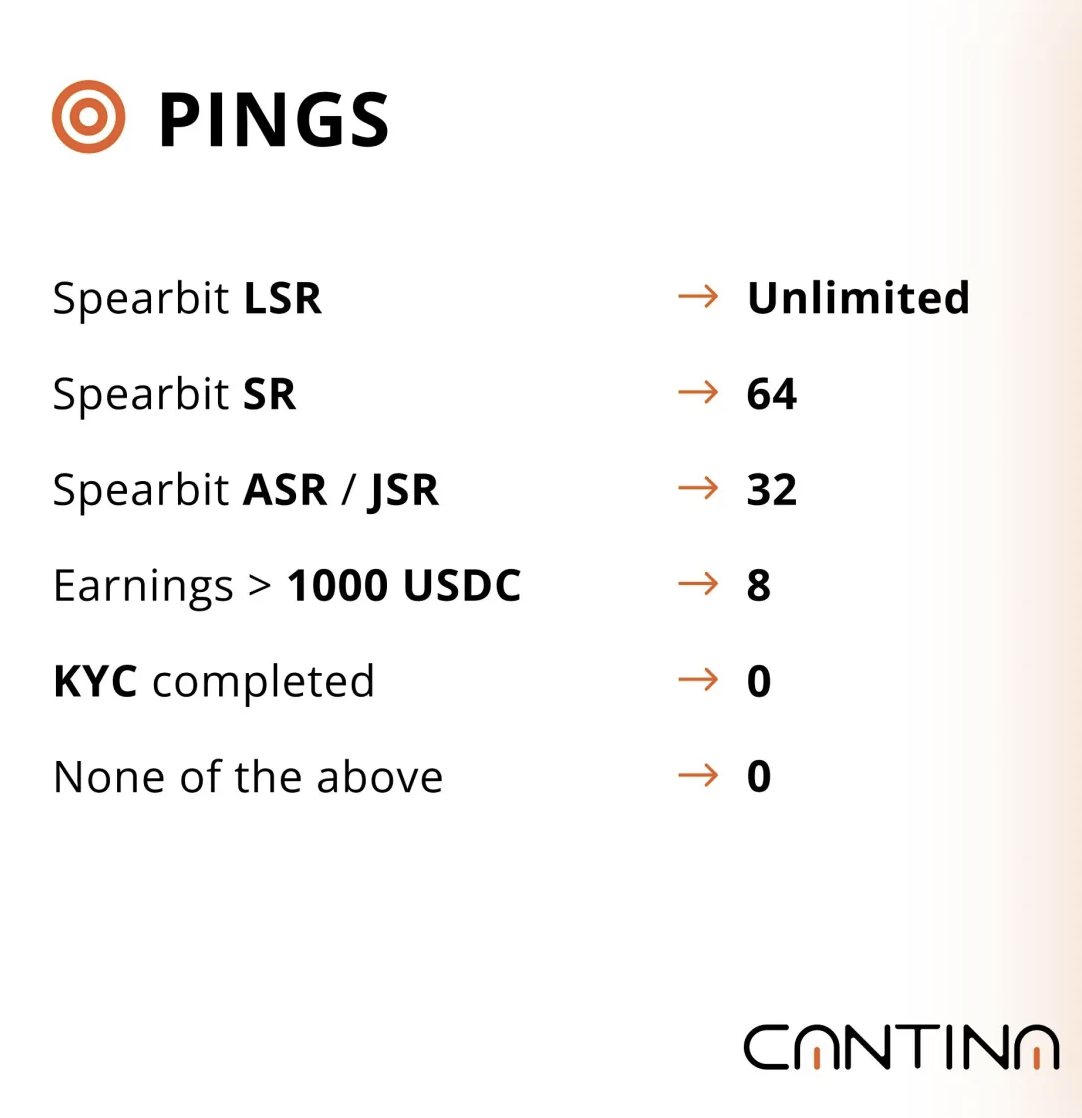
Pings enable a user to notify another user. As a Security Researcher, to notify all clients use the@project tag. The notified user will receive a notification via email and on the Security Researcher Dashboard page.